
Managing inventory and sales records is an important part of running a retail business. Every product sold affects stock levels, while every customer payment needs to be recorded accurately. When billing, inventory and payment information are maintained separately, business owners may find it difficult to identify missing stock, incorrect sales entries or payment differences.
QR-based billing applications can help businesses connect supported digital payments with sales records. Some applications also provide inventory management features, allowing retailers to review stock movement alongside completed transactions.
However, accepting QR payments alone does not automatically update inventory. Businesses need suitable billing software and stock management features to connect these activities.
This guide explains how QR billing applications work, how they support inventory tracking and what businesses should consider when reconciling sales and payments.
Why Inventory and Sales Reconciliation Matters
Inventory reconciliation involves comparing recorded stock quantities with the actual products available in a business.
Sales reconciliation involves checking whether recorded sales match invoices, payment collections and other transaction records.
Both processes are important because incorrect information can affect purchasing decisions and financial reporting.
For example, a store may record the sale of 15 products during a day. If the inventory system shows only 12 units deducted, the business needs to investigate the difference.
Similarly, if invoices total ₹25,000 but recorded collections show ₹23,000, the remaining ₹2,000 requires clarification.
Regular reconciliation can help businesses:
- Identify missing or incorrect stock entries.
- Track daily sales accurately.
- Detect duplicate billing records.
- Monitor unpaid invoices.
- Verify customer payment collections.
- Understand product movement.
- Maintain reliable financial information.
What Is a QR Billing Application?
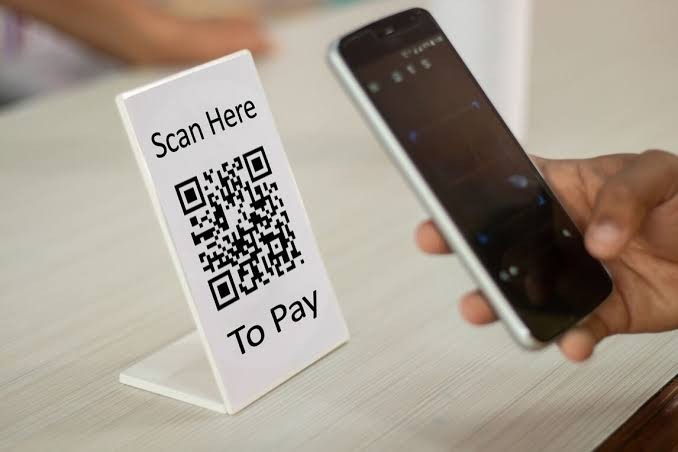
A QR billing application is a digital tool that may combine invoice generation with QR-based payment acceptance.
Depending on the provider, the application may allow businesses to create bills, generate transaction-specific QR codes and record supported payments.
Some applications also offer stock management, customer records and sales reporting.
For example, a retailer may create an invoice for three products and generate a QR code containing the payable amount.
The customer scans the code and completes the payment through a compatible application.
Where the billing and payment systems are integrated, the transaction can be linked to the corresponding invoice.
However, the available features depend on the software and payment service arrangements.
How QR Billing Connects Sales and Payments
A connected billing process helps businesses associate customer payments with specific sales.
Invoice Creation
The employee selects the products or services purchased by the customer.
The billing system calculates the total amount, including applicable taxes and charges.
QR Code Generation
Where supported, the system generates a QR code associated with the invoice.
Dynamic QR codes may include the payment amount and transaction reference.
Customer Payment
The customer scans the code, reviews the details and authorises the payment.
Payment Confirmation
The merchant system receives the available transaction status from the supported payment service.
Sales Record Update
When the system confirms a successful payment, the invoice can be marked as paid if the integration supports this function.
Inventory updates may occur when the sale is recorded or completed, depending on the software configuration.
How a QR Billing App Helps With Inventory Management
A QR Billing App with inventory features can help retailers maintain stock records alongside their sales activity.
Consider a grocery store selling packaged products throughout the day.
Each product has a recorded stock quantity. When the cashier adds an item to a completed sale, the inventory system may deduct the corresponding quantity automatically.
For example, suppose the store begins with 100 units of a product.
During the day, 25 units are sold and 10 new units are received from a supplier.
The expected closing stock becomes:
100 – 25 + 10 = 85 units
The business can compare this expected quantity with the physical stock available.
If the actual count is different, the retailer should investigate possible causes such as damaged products, incorrect entries or unrecorded sales.
Automatic stock adjustments are available only when the billing application includes appropriate inventory management functions.
Important Inventory Features to Consider
A suitable billing system should support the inventory activities relevant to the business.
Product Catalogue Management
Businesses may need to maintain product names, prices, stock quantities and other relevant details.
A clear product catalogue helps employees select the correct items during billing.
Stock Movement Records
Inventory records should reflect stock received, products sold, returns and authorised adjustments.
Low-Stock Notifications
Some applications provide alerts when inventory falls below a specified quantity.
These alerts can help retailers identify products that may need replenishment.
Product-Level Sales Reports
Sales reports may show which products are sold most frequently during a selected period.
This information can support purchasing decisions, although past sales do not guarantee future demand.
Understanding Sales and Payment Reconciliation
A completed sale and a successful payment are related but different records.
A business may generate an invoice before receiving payment. Similarly, a customer may pay an advance that does not immediately represent a completed sale.
Reconciliation helps connect these records accurately.
Consider an illustrative daily sales summary:
| Transaction Category | Amount |
| Total invoices generated | ₹40,000 |
| UPI payments received | ₹25,000 |
| Cash payments received | ₹10,000 |
| Outstanding customer payments | ₹5,000 |
In this example, the recorded collections total ₹35,000, while ₹5,000 remains outstanding.
The business should confirm that the recorded payments correspond to the correct invoices.
It should also compare digital transactions with settlement reports and bank account records.
Refunds, cancellations and applicable payment adjustments should be accounted for separately.
Why Businesses Should Compare Stock and Sales Records
Inventory and sales records provide different information about business activity.
Sales data shows what customers purchased, while inventory data shows how product quantities changed.
Comparing the two helps identify inconsistencies.
For example, if a store sells 20 units of a product but the inventory decreases by 25 units, the additional movement requires investigation.
Possible explanations include:
- Unrecorded stock damage
- Incorrect product selection
- Manual inventory adjustments
- Missing supplier entries
- Product returns recorded incorrectly
- Stock counting mistakes
Businesses should investigate these differences rather than automatically changing records to make the figures match.
Managing Returns and Refunds Accurately
Customer returns can affect both financial and inventory records.
When a customer returns a product, the business may need to process a refund and update stock information.
However, the returned item should only be added back to saleable inventory if it meets the business’s product condition requirements.
Confirm the Original Sale
Locate the invoice and verify that the item was purchased from the business.
Review the Return Condition
Determine whether the product can be resold, repaired or recorded as damaged stock.
Process the Refund
Where applicable, initiate the refund through the supported payment service.
Update the Records
Record the return, inventory movement and refund status according to the business’s accounting procedures.
This helps prevent incorrect stock quantities and duplicate refund entries.
Common Challenges With QR Billing and Inventory Systems
Businesses may encounter problems when payment and inventory features are not properly connected.
Payment recorded but invoice not updated: The transaction may require verification or manual reconciliation.
Incorrect stock deductions: Product quantities may be configured incorrectly.
Duplicate invoices: Repeated billing entries can affect sales totals.
Delayed settlement information: Successful customer payments may not immediately appear as settled bank funds.
Missing product records: Items sold outside the billing system may not reduce recorded inventory.
Regular checks and appropriate employee training can help identify these problems.
How to Select a QR Billing System for Your Business
Before choosing software, assess your store’s transaction and inventory requirements.
Important considerations include:
- Invoice generation and payment integration.
- Product and stock management.
- Transaction confirmation features.
- Sales and inventory reporting.
- Return and refund records.
- Employee access permissions.
- Data backup and export options.
- Applicable software and payment service charges.
Businesses with multiple locations should also check whether the system supports branch-level stock and sales reporting.
A limited trial using actual business workflows can help identify whether the application meets these requirements.
Improving Merchant Billing and Financial Records
A reliable Merchant Billing process should connect invoices, customer collections and relevant inventory records.
Businesses should maintain consistent procedures for recording sales, applying discounts, handling returns and verifying payments.
For example, when an invoice is cancelled, the system should reflect the appropriate financial and stock adjustments.
If a payment remains pending, the business should avoid marking it as settled until confirmation is available.
At the end of each business day, owners can compare invoice totals, successful payment records and expected stock movements.
This helps identify discrepancies before they accumulate over several accounting periods.
Conclusion
QR billing applications can support inventory and sales reconciliation when they include suitable billing, payment integration and stock management features.
Connecting invoices with customer payments helps businesses identify completed transactions and outstanding balances.
Inventory records can also provide information about products sold, stock received and adjustments made during daily operations.
However, QR payment acceptance alone does not guarantee automatic inventory tracking or complete financial reconciliation.
Businesses should evaluate software features, maintain accurate records and review transaction differences regularly.
A consistent reconciliation process can help retailers manage stock and sales information more effectively.
Frequently Asked Questions
1. Can a QR Billing App Automatically Update Inventory?
Some QR billing applications support automatic inventory updates when product billing and stock management features are integrated.
2. How Does QR Billing Help With Sales Reconciliation?
Integrated QR billing can help businesses match supported customer payments with invoices and compare transaction records with settlement information.
3. Can QR Billing Systems Track Product Returns?
Some systems provide return management features that allow businesses to record returned products, update inventory and manage related refunds.
4. Is a QR Payment App the Same as Inventory Management Software?
No. A QR payment application primarily supports payment acceptance, while inventory software tracks stock movement. Some business applications combine both functions.